How to Keep Your Emoji Captions and Bios Within the Right Length
Emoji can eat your character count faster than you think. Here's how to keep captions and bios within platform limits without getting cut off.
You finish writing the perfect Instagram bio. It has your job title, a couple of personality-packed emoji, and a call to action. You save it. Then the app trims the last line and the whole thing reads like a broken sentence. That frustrating moment comes down to one thing: not all characters are created equal, and emoji make the math particularly tricky.
Key Takeaways:
- Emoji can take up more than one character slot depending on the platform and the Unicode encoding used
- Every major social platform enforces a strict character cap on bios, captions, and posts
- Checking your text with a character counter before publishing prevents unexpected cutoffs
- Combining emoji with stylized text adds visual flair without burning extra character slots
- Knowing your limits per platform lets you plan content before you type a single word
Why Emoji Are Not All the Same Size
Here is the part that trips people up. Most people assume each character, whether it is a letter, a space, or an emoji, counts as one. On many older systems, that held true. But emoji have grown more complex over time.
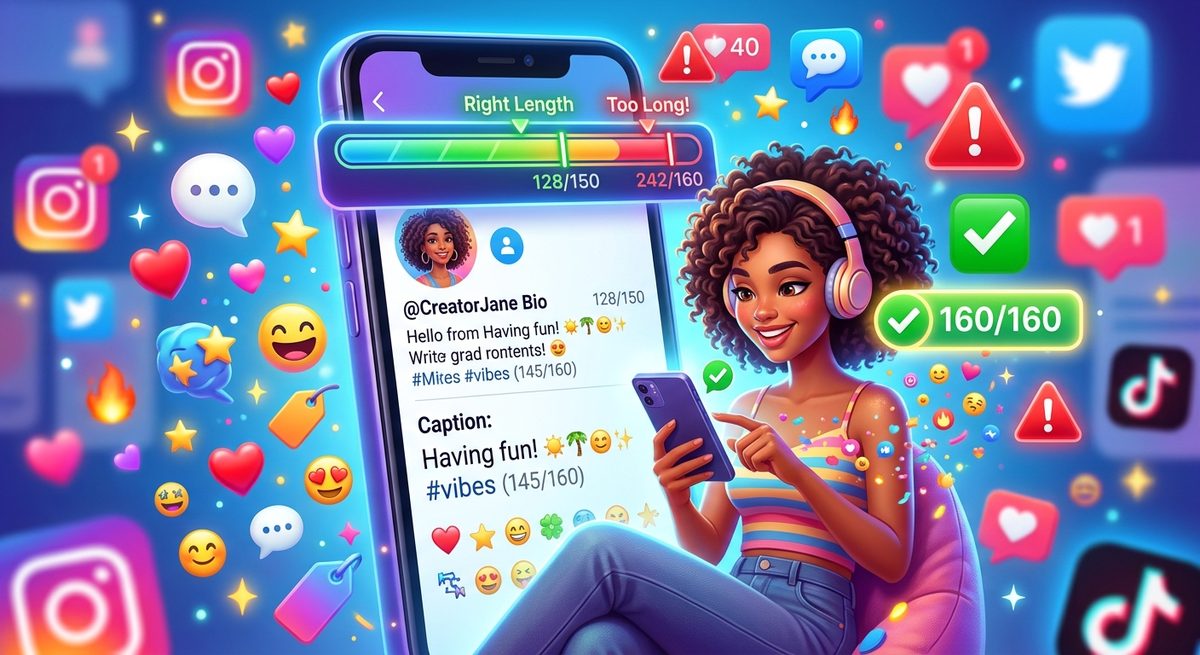
Some emoji are built from multiple Unicode code points layered together using what is called a Zero Width Joiner, or ZWJ sequence. The standard assigns a unique code point to every character, including every emoji. Simple emoji like smiling face with smiling eyes emoji or fire emoji sit at a single code point. But a family emoji showing two adults and a child is actually three separate emoji joined by invisible ZWJ characters. To the eye it looks like one character. To a platform counting your input, it may count as seven or more.
Twitter, now rebranded as X, treats most emoji as two characters instead of one. Instagram counts some multi-part emoji as several. TikTok has its own quirks. The result is that a bio you carefully composed in a notes app may behave completely differently once you paste it into the actual platform field.
The Character Limits That Actually Matter
Every platform draws its own line. Knowing these numbers before you write means you can plan rather than trim in frustration.
- Instagram bio: 150 characters
- Twitter/X bio: 160 characters, with most emoji counting as 2
- Twitter/X tweet: 280 characters
- TikTok bio: 80 characters
- YouTube channel description: 1,000 characters
- LinkedIn summary: 2,600 characters
- Facebook About section: 101 characters
TikTok's 80-character bio limit is genuinely ruthless. Drop three or four emoji in there and you can burn through 20 to 30 characters before you have typed a single word about yourself.
How to Check Your Count Before You Post
This is where a lot of people skip a step they really should not. They type, they paste, they hope. Instead, paste your caption or bio draft into a character counter before you go anywhere near the publish button. The tool counts in real time as you type or paste, so you see exactly where you stand.
What makes this especially useful for emoji-heavy content is that you can experiment. Try swapping a ZWJ-heavy family emoji for a single-figure alternative and watch the count drop. Try replacing a flag emoji, which is technically two regional indicator letters, with a simple country abbreviation. The counter shows you the tradeoff instantly.
Here is a straightforward process to follow before posting any bio or caption:
- Write your draft in a plain text editor without worrying about length.
- Paste the draft into the character counter and note the total.
- Compare that total to the platform limit you are targeting.
- If you are over, identify which emoji or phrases add the most bulk and trim there first.
- Re-paste and confirm the count before copying into the platform.
- Publish, then check the live profile to make sure nothing got clipped.
That sixth step matters. Some platforms apply their own rendering rules after saving, and what you see in the edit field is not always what appears on your public profile.
The Specific Challenge of Instagram Bios
Instagram deserves its own mention because its 150-character limit is deceptively tight. A single line of text with two or three emoji can vanish in a hurry. The challenge gets worse because Instagram displays bios in a narrow column on mobile, so even a technically valid bio can look cramped or awkward.
A few things help here. Keep emoji clustered at the start or end of lines rather than embedded mid-sentence. Use line breaks to add visual breathing room without eating characters. And choose emoji with simple, single code points over elaborate stacked sequences.
The most common mistake is adding decorative emoji purely for aesthetics and then realizing there is no room left to say anything meaningful. Your bio has to work hard. Every character counts toward telling someone who you are and why they should follow you.
Adding Visual Style Without Burning Your Count
Once you have your character count under control, your text might look a little plain compared to the elaborate bios you see on popular accounts. Those accounts often use stylized Unicode text characters, such as bold letters, italic letters, or small caps, that look like special fonts but are actually standard text characters.
Converting your regular text into bold or italic Unicode variants with a stylized text tool lets you stand out visually without adding emoji weight. The styled characters still count toward your limit, but a single styled letter counts as one character just like a regular letter. That is a better deal than swapping in a decorative emoji that might cost you two or three slots.
The key is restraint. A word or two in bold Unicode text draws the eye without making your bio look overwhelming.
Writing for Multiple Platforms at Once
If you manage social accounts across several platforms, you have probably learned that a bio optimized for LinkedIn reads terribly on TikTok. The character gaps are just too wide. The better approach is to write platform-native bios rather than one universal version you try to force everywhere.
- Write the TikTok bio first, since it has the tightest limit. If it works at 80 characters, a longer version for Instagram or Twitter will come naturally.
- Save each version in a document so you can reference and update them without rewriting from scratch.
- Re-check counts whenever you make updates, because small changes can push you over without you noticing.
This also applies to captions. An Instagram caption can run into the thousands of characters for long-form posts, but the first 125 characters are what show before the "more" cutoff. Write those first 125 like a headline, then use the rest for context, hashtags, or additional detail.
Your Bio Is a Living Document, Not a One-Time Task
Most people set their bio once and leave it for months. The better approach is to revisit it regularly, especially as your focus shifts, you add new projects, or platforms adjust their limits and rendering rules.
A bio that fit perfectly six months ago might be one emoji swap away from cutting off. Platforms quietly update how they handle Unicode sequences, and what worked before may behave differently now. Make a habit of re-checking the character count every time you refresh your profile copy.
The good news is that once you build this habit, it takes less than a minute. Paste, check, adjust, post. No more mystery truncations. No more bios that trail off mid-sentence. Just clean, intentional copy that fits exactly as you wrote it, every single time.