Where to Find Transparent PNG Images for Emoji-Style Projects
Learn why transparent PNG images matter for Discord stickers, Notion decorations, and social overlays, and find what other creators are downloading right now.
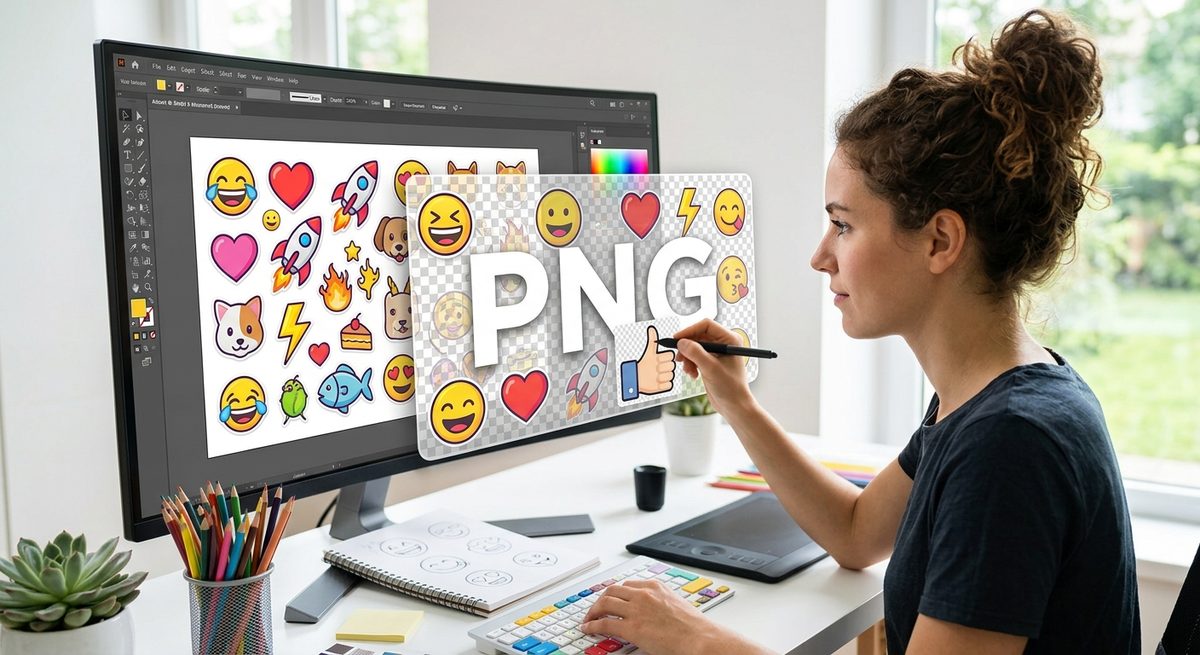
If you have ever tried to drop a cute graphic onto a Discord sticker or a Notion page banner, you already know the frustration. The image looks great on a white background. The moment you place it over anything else, there is a hard white box around it. That box kills the whole effect. Transparent PNG images solve exactly that problem, and knowing where to find good ones can save you hours of manual editing work.
Key Insight: Transparent PNG files carry no background color, which means they layer perfectly over any surface. For creators building Discord stickers, Notion decorations, or social media overlays, this single file property is the difference between a polished result and a clunky one. Knowing where to find what is currently popular also helps you stay in sync with the visual language your audience already recognizes.
Why Transparency Is Not Just a Nice-to-Have
Most image formats store a flat grid of colored pixels. Every pixel has a color, including the area that surrounds the subject. When you export a photo as a JPEG, for example, any space around the main object gets filled with a solid color, usually white. That is baked into the file at save time.
The PNG format handles this differently. It supports an alpha channel, which is basically a fourth layer of data sitting alongside the red, green, and blue channels. That fourth layer tells your software or browser how transparent each pixel should be. A pixel can be completely solid, completely invisible, or anywhere in between. That range is what allows soft edges, drop shadows, and smooth cutouts to exist without any white fringe.
For layered design work, this is everything. You are not just placing an image. You are compositing it. The PNG sits on top of your background and the alpha channel does the blending automatically.
The Specific Problem for Emoji-Style Creators
Official emoji sets, whether from Apple, Google, or any platform vendor, are already delivered as transparent PNGs. That is part of why they look right everywhere you put them. The moment you step outside that official library and want something custom, you run into a sourcing problem.
Stock photo sites are built around photographs. They are great for backgrounds and hero images, but the selection of cutout graphics and emoji-adjacent art is thin. Dedicated icon libraries lean toward flat vector shapes that do not always match the playful, rounded style that works well for stickers and overlays. Clip art archives range wildly in quality and often include outdated styles.
What you actually want is a source that is specifically organized around transparent cutout graphics, with enough variety to cover the kind of expressive, character-driven subjects that fit emoji-style use cases.
What Makes a PNG File Actually Useful for Stickers and Overlays
Not all transparent PNGs are equally usable. A few things matter a lot.
- Resolution: Sticker sheets and overlay graphics often get scaled up. A PNG that looks fine at 200 pixels wide will look blurry at 500. You want source files that are large enough to give you room to scale without losing edge quality.
- Edge quality: The cutout around the subject should be smooth, not jagged. Rough pixel edges are the second most common way a DIY sticker can look amateur.
- Subject variety: Emoji-style projects cover a huge range, from food and animals to gestures, objects, and abstract shapes. A broad library means you can match visual themes without mixing art styles.
- File cleanliness: Some PNG files claim transparency but have a near-white halo around the edges. This happens when images are auto-cut without quality control. Clean files have consistent alpha values right up to the edge.
- Licensing clarity: For anything you are posting publicly or selling, the usage rights matter. Creative commons or free-use licenses let you build without worry.
The Shortcut Most Creators Miss
You can spend a long time searching keywords and scrolling through mediocre results. Or you can let collective behavior do the filtering for you. When a lot of creators are downloading a specific image, that is a signal. It usually means the file is high quality, the subject is trending, and the style fits current design tastes.
Browsing trending PNG images is one of the fastest ways to calibrate your eye for what is working right now. Instead of starting from scratch, you see what the community is already pulling toward, and you can make faster decisions about which assets actually fit the project you are building.
This matters more than it might seem. Emoji-style design has its own visual vocabulary, and that vocabulary shifts over time. Styles that felt fresh two years ago can feel dated now. Checking what other creators are actively downloading gives you a live read on the current aesthetic.
How Transparent PNGs Fit Each Platform
Different platforms have different technical requirements, but the transparent PNG is the right starting format for nearly all of them.
Discord stickers have a strict size cap, currently 320 by 320 pixels for animated stickers and similar dimensions for static ones. They also require transparency. Starting with a high-resolution transparent PNG and scaling down gives you clean edges at the delivery size.
Notion page decorations work differently. Notion lets you set cover images and icons, and custom icons support PNG uploads. A transparent icon placed over a colored Notion cover creates a completely custom look that feels designed rather than assembled.
Social media overlays are the broadest use case. Whether you are building a Twitch panel, an Instagram Story template, or a YouTube thumbnail with layered text and graphics, the transparent PNG is the universal building block. It drops into Canva, Photoshop, Figma, and most other tools without any stripping or converting.
Building a Personal Asset Library Over Time
One strategy that pays off is treating every transparent PNG you download as an investment in a reusable library. Instead of hunting for fresh assets every time you start a project, you build a folder system organized by subject or mood, and you draw from it.
Good folder categories for emoji-style work include characters and faces, food and drink, nature and animals, objects and tools, and abstract shapes and sparkles. Over a few weeks of collecting, you end up with enough variety to mix and match for most projects without starting from zero.
The trending section of any well-maintained PNG library is a useful place to run a regular collection update. Spending fifteen minutes every few weeks browsing what is newly popular means your library stays current and your designs stay fresh.
The Lasting Advantage of Getting the Format Right
A lot of design frustration comes from format decisions made too early in the process. Creators who default to JPEG or who grab the first image result without checking the file type end up spending editing time removing backgrounds instead of building.
Starting with transparent PNGs from the beginning removes an entire category of rework. You place the file, it looks right, and you move on. That saved time accumulates fast when you are making multiple stickers in a batch or building a full overlay template set.
The format itself is not complicated. But finding good files, in the right resolution, with clean edges and relevant subjects, is where most creators lose time. Having a reliable source for popular, well-made transparent graphics is the practical fix that keeps creative momentum going.
Where to Start Right Now
If you are starting a sticker pack, a Notion theme, or a social overlay and you need transparent graphics today, the most direct move is to check what the broader creator community is already downloading. Popular files tend to be popular for a reason. They look good at various sizes, they have clean transparent cutouts, and they cover subjects that read clearly at small scales.
That is the core of what emoji-style design requires. Small scale, clear subject, transparent background, clean edge. When you find files that check all four boxes, the rest of the creative work gets a lot easier.