Why Emoji-Heavy Messages Can Slow Down Your Phone App Experience
Emoji-packed chats can quietly drag down your app speed. Here's the technical reason why and how to check if your connection is the real culprit.
You send a message in a group chat. Within seconds, the thread explodes with reactions, stickers, and a wall of emoji. Then your app freezes, stutters, or takes an age to load the rest of the conversation. You restart, assume it's a bug, and move on. But the real explanation is more interesting than a software glitch, and it has everything to do with how emoji actually work under the hood.
Key Takeaways:
- Each emoji that isn't stored on your device must be fetched from a remote server, adding latency to every message load.
- A single modern emoji can be backed by multiple image assets across different platforms and display sizes.
- When dozens of unfamiliar emoji stack up in one thread, the cumulative round-trip requests add up fast.
- Weak or inconsistent mobile connections amplify the problem significantly.
- Running a mobile speed test helps you pinpoint whether your connection, not the app, is causing the slowdown.
Emoji Are Not Just Text Characters
Most people treat emoji as simple text. You type a shortcut, a yellow smiley face appears. Job done. But behind that tiny graphic, a lot more is happening than you might expect.
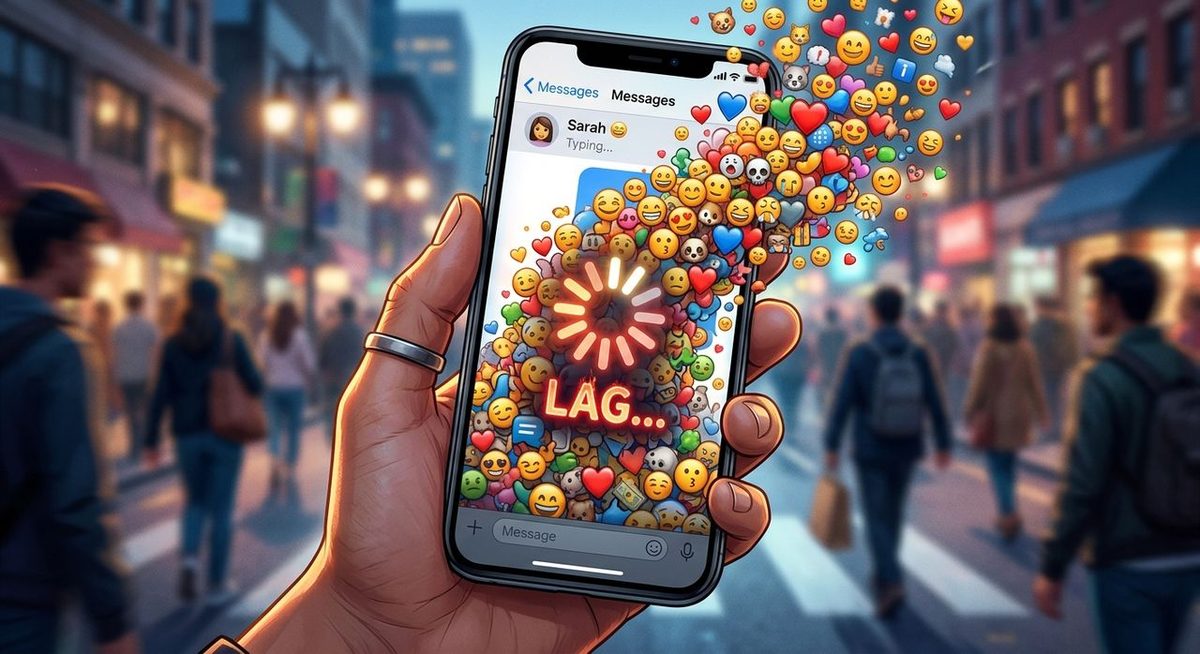
Emoji exist at the intersection of two worlds. The first is the Unicode standard, which assigns each emoji a specific code point, essentially a unique ID number. The second is the visual rendering layer, and that is where things get complicated. According to the Unicode character standard, the Unicode specification now covers over 3,600 emoji code points, and many of those have multiple visual variations.
WhatsApp uses its own emoji graphics. Slack uses another set. Apple, Google, and Microsoft each maintain distinct image libraries. So when you receive a message packed with emoji from a contact on a different device or a different app version, your phone may not have local copies of those exact images. It has to fetch them from a content delivery server. That fetch takes time. On a fast connection, it is imperceptible. On a slow or congested one, it stacks up.
The Asset Fetch Problem, Explained
Think of your messaging app like a browser. Every time you load a webpage, your browser downloads images, fonts, and scripts. Caching means that after the first visit, many of those files are stored locally so you do not have to download them again. Messaging apps work the same way.
The first time you encounter a specific emoji in a specific format, your app may need to pull that asset from a server. Modern emoji sets include high-resolution variants, different sizes for thumbnails versus full-size display, skin tone modifiers, and combination sequences. The family emoji, for example, stitches multiple characters together into one composite image.
Emojiguide.com tracks a wide catalog of these assets, and the sheer number of distinct image files backing a single emoji across platforms is striking. A simple thumbs-up is not one image. It is potentially dozens, spread across skin tones, platform versions, and display sizes. When a thread contains 40 or 50 different emoji from several senders, you could be triggering 40 or 50 separate asset requests in rapid succession.
Why Mobile Connections Make It Worse
A wired broadband connection handles dozens of small simultaneous requests without breaking a sweat. Mobile connections are a different story. Cell signal strength fluctuates depending on your location, the number of nearby users sharing the same tower, building materials blocking the signal, and network congestion at peak hours.
Each asset fetch involves a round-trip. Your phone sends a request to a server, the server processes it, and the response travels back. On a solid LTE or 5G connection, a single round-trip might take 20 to 50 milliseconds. On a weak 3G connection, or in a crowded stadium, it can stretch to 300, 500, or even 1,000 milliseconds per request.
Multiply that by 40 emoji in a single thread. Even if each request only costs an extra 100 milliseconds, you are looking at four full seconds of added latency before the thread fully renders. That is the stuttering and freezing you have been blaming on the app.
How Caching Helps and Where It Falls Short
Caching is the built-in solution to this problem. Once your app has downloaded an emoji asset, it stores it locally and reuses it the next time that emoji appears. If you regularly chat with the same people using the same emoji, your cache builds up and the lag disappears.
The problems arise in a few specific situations:
- You join a new group chat with unfamiliar contacts who use emoji you have not encountered before.
- An app update clears the local cache, forcing a fresh download of all assets.
- You switch devices or reinstall the app, starting entirely from scratch.
- The emoji are complex sequences or newer additions that your current app version handles differently from the sender's version.
In any of these cases, your phone is back to making live server requests for images it does not have stored locally. On a strong connection, you will barely notice. On a shaky one, the experience degrades quickly.
Identifying the Real Bottleneck
Here is where a lot of people go wrong. When their app lags during an emoji-heavy thread, they blame the app, assume the server is down, or decide their phone is getting too old. Sometimes those explanations hold. But often, the bottleneck is simply connection speed.
The way to find out is straightforward. Before you blame the app, run a mobile speed test to see your actual download speed, upload speed, and ping in real time. Pay particular attention to the ping reading. Ping measures the time it takes for a small packet of data to travel from your phone to a server and back, expressed in milliseconds. A ping under 50ms is solid. Above 150ms, you will start noticing lag in asset-heavy apps. Above 300ms, even a modest emoji-dense thread will feel sluggish.
If your ping is high or your download speed sits well below what your plan promises, the connection is your culprit. Move to a better signal area, switch from mobile data to Wi-Fi, or try the conversation at a different time of day when network congestion has eased.
Platform Differences and What They Mean for You
Not all messaging apps handle emoji assets the same way. Some are aggressive about prefetching and caching assets in the background. Others load everything on demand, which increases latency on slower connections but saves mobile data.
WhatsApp compresses media assets fairly aggressively to keep things moving on weak connections. Slack, designed primarily for desktop use, tends to prioritize image quality and loads more assets per thread. This is one reason Slack can feel noticeably heavier on mobile, especially in channels where people post frequent emoji reactions throughout the day.
Telegram sits somewhere in between, offering configurable media download settings that let users decide how much to pre-cache. Understanding which app you are using and how it manages assets helps you set accurate expectations, and helps you decide when a slowdown is worth investigating.
Network Latency and How It Compounds
The technical concept at the heart of all this is network latency, the delay between a request being sent and a response arriving. Latency compounds when multiple requests must be made sequentially rather than in parallel. Most modern apps batch requests or use HTTP/2 multiplexing to handle several at once, but there are limits. When dozens of assets need loading simultaneously, even multiplexed connections feel the strain on low-bandwidth or high-latency mobile links.
This is why the same emoji thread that loads instantly at home on Wi-Fi can feel unbearably slow on a train or in a basement. The content has not changed. The assets are the same size. The only variable is the quality of the connection, and that single variable can mean the difference between a smooth experience and a frozen screen.
What You Can Do Right Now
You do not have to accept a sluggish app experience. A few practical adjustments make a noticeable difference:
- Move to Wi-Fi whenever possible for emoji-heavy group chats, especially in large threads.
- Check your signal bars before concluding the app is broken.
- Clear your app's cache periodically to remove stale or corrupted assets, then let it rebuild on a strong connection.
- Reduce media auto-download settings in apps like WhatsApp and Telegram if you are frequently in low-signal areas.
- Update your messaging apps regularly, since newer versions often ship with improved caching logic and better-compressed asset libraries.
Why Your Chat Lags, And What To Do Next
The next time your phone stutters while loading a busy group thread, you will know exactly what is happening. Dozens of tiny image files are being requested one by one, traveling across a connection that may not be fast or stable enough to handle the volume. It is not always the app's fault. It is often the gap between what your connection can deliver and what the thread demands.
That gap is measurable. Knowing where you stand is the first step, and it takes less than a minute to find out. Once you have that picture, you can make smarter decisions about when to troubleshoot the app and when to simply find a better signal.